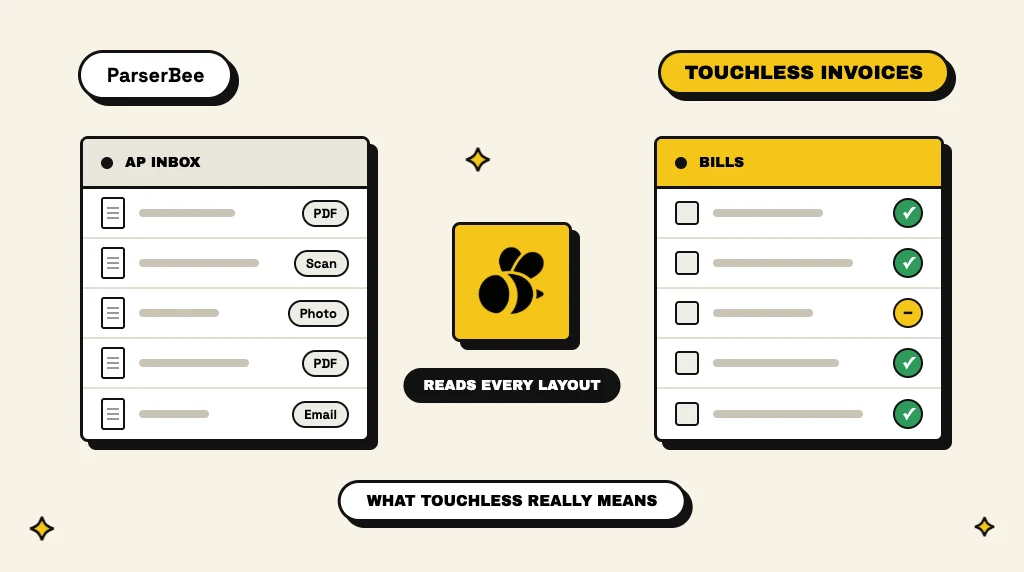
Touchless invoice processing means an invoice goes from the inbox to approved without anyone typing its data, coding it, matching it or chasing an approver. People handle only the exceptions. Can a small business do it? Yes, for part of its invoices, and usually without buying an enterprise AP suite.
This guide explains what "touchless" really means, what share of invoices can realistically go untouched (with the 2025 benchmarks and where they come from), and the steps a small AP team takes to get there. We build ParserBee, which handles the reading step, and we say which steps it does not cover.
What touchless invoice processing really means
An invoice is touchless when nobody keys, codes, matches or routes it by hand. The software reads it, checks it against your rules, and either posts it or sends it for approval on its own. It is also called straight-through processing.
Definitions differ in one important way:
- The strict definition: nobody touched the invoice at any stage, from receipt to posting.
- The common definition: nobody touched it up to approval. An approver still clicks "approve", but that is a decision, not data work.
Vendors also measure different things. Basware counts invoices processed with no AP staff involvement; Medius describes invoices moving from receipt to approval without manual intervention. When you compare touchless rates, ask which definition was used.
What touchless is not: an invoice that was scanned by OCR and then corrected by hand. If someone fixed a field, it was touched.
What share of invoices can go touchless?
There is no neutral, market-wide touchless benchmark. Corpay says so too, and the figures that are published measure different things:
| Source | Figure | What it measures |
|---|---|---|
| Ardent Partners, The State of ePayables 2025 (Payables Place, 22 Jan 2026) | 18.4% average exception rate | Share of invoices that hit an exception, across AP departments |
| Same report | 1.8 times | How many more invoices best-in-class teams process straight through than their peers |
| The Hackett Group, 2025 Digital World Class Matrix, as reported by Corpay | 60% average touchless rate | Customers of the 15 AP solutions assessed, not the market as a whole |
| Basware | 89% touchless processing | Vendor figure; the page gives no period or method |
| Rossum, Wolt case study | 58.8% processed touchlessly | One customer's result |
All sources checked on 10 November 2026.
Read together: an 18.4% average exception rate means roughly four in five invoices have no exception, but "no exception" is not the same as "no touch", because many teams still key the data by hand. Customers of established AP solutions average around 60%. Basware's 89% sits next to 99.7% electronic invoicing on the same page, which shows how much the supplier mix drives the number.
What that means for a small business
Your realistic share depends on your invoice mix, not on the software. Sort a month of invoices into four groups:
- Recurring, same vendor, same amount or close to it: rent, utilities, software, cleaning, insurance. These are the easiest to take through untouched.
- Regular vendors with varying amounts: freight, office supplies, contractors. Touchless once you set an approval limit and a default account per vendor.
- PO-backed invoices: touchless only when quantities and prices match the PO, which needs a matching step.
- One-offs and exceptions: first invoices from new vendors, credit notes, disputes. These stay with a person.
Take a fictional company with 200 invoices a month: 70 recurring, 80 from regular vendors, 30 against POs and 20 one-offs. If groups 1 and 2 go through untouched, that is 150 of 200, or 75%, without three-way matching. If only group 1 does at first, it is 35%, and every one of those invoices is still read with no typing.
Check the reading step on your own invoice
The free invoice parser reads one vendor invoice, with every line item, in about a minute. No signup.
Why invoices still need a person
Most invoices fall out of a touchless flow for one of these reasons:
- The data was read wrong or not at all. A tilted phone photo, a new layout, a missing invoice number. This is the reading step, and the one capture tools exist to fix.
- The vendor is new. There is no default account and no approval rule yet.
- It does not match the PO. A different price, a partial delivery, an extra freight line.
- It is a duplicate. The vendor emailed it twice, or sent a reminder with the invoice attached again.
- Nobody owns the approval. The budget owner is away, or the invoice does not say who ordered it.
- It is unusual on purpose. Credit notes, prepayments and disputed invoices should be touched.
Only the first reason is about reading. The rest are rules and process, which is why buying a better OCR tool alone does not make AP touchless.
How a small team gets to touchless invoice processing
You need four pieces: one place invoices arrive, a reader, rules, and your accounting system. None of them needs an enterprise contract.
1. Put every invoice in one place
One AP email address, or one shared folder that the inbox saves to. Ask vendors to send invoices only there. Invoices that arrive in personal inboxes are touched by definition.
2. Read every invoice without typing
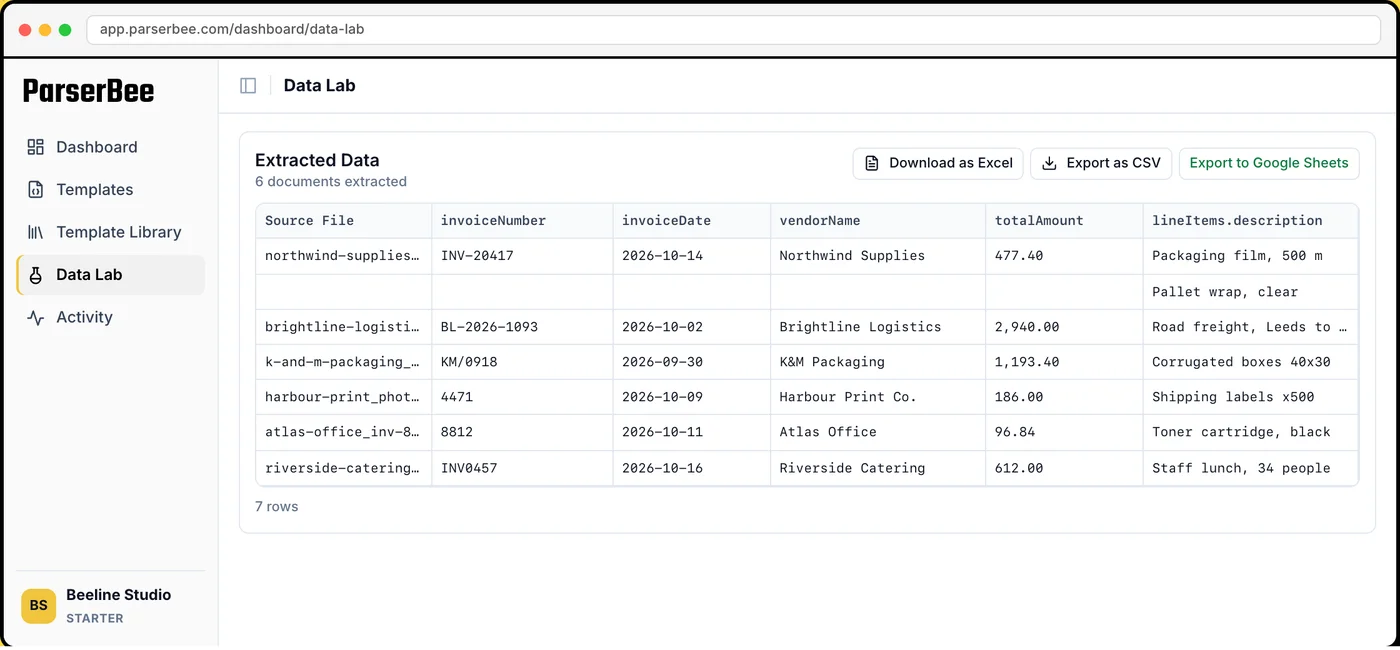
Use a reader that handles every vendor's layout, including scans and phone photos, and returns the fields and lines you post: vendor, invoice number, dates, PO number, lines, tax and total. With ParserBee, start from the ready-made Invoice Parser Template; one template reads every vendor's design. Our invoice OCR software page shows the capture step on its own.
3. Write the rules down, then automate them
Rules decide which invoices can skip a person. Start with three:
- Default account per vendor. Your accounting tool can remember it, or the automation can set it from a lookup.
- Approval limit. Known vendors under an amount you choose go straight through; anything above goes to an approver.
- Duplicate check. The same vendor and invoice number twice is held. In a Google Sheets AP log, one COUNTIFS formula flags it.
In Zapier, a Filter or Paths step applies limits like these before the bill is created.
4. Post the clean ones, route the rest
Send clean invoices to your accounting system as bills: Zapier, Make and n8n all have Xero and QuickBooks Online steps. ParserBee has no native accounting connector, so one of those tools is the link. Send the rest to a person with the reason attached. Our vendor invoice processing page walks through one invoice from a Drive folder to a bill in Xero.
5. Measure the touchless rate every month
Touchless rate = invoices posted with no manual edit, coding change or manual routing ÷ all invoices posted. Keep a column for the reason each touched invoice was touched. Fix the most common reason first: usually a few vendors, not the software.
Take the typing out of AP first
New accounts get 25 free pages, no credit card. Read your vendors' invoices, line items included, and send them to Xero or QuickBooks through Zapier.
Touchless AP for SMBs: suite or step by step?
AP suites such as BILL, Ramp and Stampli bundle capture, approval rules and payments in one product, synced to your accounting system. That is the shortest route to touchless if you also want payments in the same tool. Our best invoice automation software guide compares them.
The step-by-step route (a reader, Zapier or Make, and the approval and payment features of Xero or QuickBooks) suits teams that want to keep their current accounting set-up, need line items in a spreadsheet as well, or read other documents on the same account. It costs less at small volumes, and you can stop at any step.
What ParserBee does and does not do
ParserBee does the reading step: every vendor invoice, in any layout it receives as PDF, scan or phone photo, into fields and line items, sent to Google Sheets, Airtable, Excel, CSV, Zapier, Make, n8n or the API.
It does not approve invoices, match them to POs, assign GL codes, post them to Xero or QuickBooks without an automation tool, or pay vendors. Touchless invoice processing needs those steps too; they live in your accounting system and your automation.
Frequently asked questions
What is touchless invoice processing?
Touchless invoice processing means an invoice goes from receipt to approved, and often to posted, without anyone keying its data, coding it, matching it or chasing an approver. Software reads the invoice, checks it against rules, and routes or posts it. People handle only the exceptions. It is also called straight-through processing.
Can a small business do touchless invoice processing?
Yes, for part of its invoices. Recurring invoices from known vendors, such as utilities, rent, software and regular services, can go through untouched once a reader captures them and a rule posts them. First invoices from new vendors, credit notes and invoices that differ from the PO still need a person. A realistic first goal is a share of invoices with no typing, not every invoice with no human.
How do you achieve touchless invoice processing?
Send every invoice to one inbox or folder, let software read each one into fields and lines, add rules your accounting tool or automation can apply (a default account per vendor, an approval limit, a duplicate check), post the clean invoices automatically and route the rest to a person. Then measure your touchless rate each month and fix the most common reason invoices fall out.
What percentage of invoices can be processed touchless?
There is no neutral market-wide benchmark. Corpay reports that customers of the 15 AP solutions in The Hackett Group's 2025 assessment averaged a 60% touchless rate. Ardent Partners' State of ePayables 2025 found an average invoice exception rate of 18.4%, and best-in-class teams process 1.8 times as many invoices straight through as their peers. Vendors quote higher figures for their own customers. Your share depends on your invoice mix.
What is touchless AP for SMBs?
For a small business, touchless AP usually means invoices are read automatically, created as bills in Xero or QuickBooks without typing, and approved by rule when they come from a known vendor under a set amount. Payment can stay a deliberate human step. Tools such as ParserBee (reading), Zapier (rules and posting) and your accounting system (approvals and payment) cover it without an enterprise AP suite.
Is touchless the same as fully automated accounts payable?
Not quite. Touchless is measured per invoice: did anyone touch this one? Fully automated AP describes the whole process. A team can process 70% of invoices touchless and still have people approving the other 30% and releasing payments.
How do I measure my touchless rate?
Count the invoices posted in a month with no manual edit, coding change or manual routing, and divide by all invoices posted that month. Track the reasons the others were touched, such as new vendor, missing PO number or price difference, and fix the most common one first.
Does ParserBee do touchless invoice processing on its own?
No. ParserBee does the reading: it captures every vendor's invoice, line items included, without typing. Approval rules, posting and payment happen in your accounting system or in an automation tool such as Zapier, Make or n8n. Together they can take known, clean invoices through untouched.
Start with one vendor
Pick your most regular vendor, read a month of their invoices and post them through Zapier. 25 free pages, no credit card.