 Email PDF to OrderApp for Shopify by ParserBee
Customer purchase orders into Shopify, without the typing.
Your B2B customers email their orders as PDFs, spreadsheets and photos. Forward them to Email PDF to Order and each one becomes a Shopify draft order: the right customer, every line matched to your catalog, your own prices. Your team checks it and sends it.
- From
- Maya Ortiz <purchasing@harborhome.co>
- Subject
- Purchase order PO-30418
B2B orders still arrive as documents. Shopify needs them as orders.
Every line typed by hand
A wholesale order of 60 lines means 60 product searches, 60 quantities and a lot of copying between two windows.
Their codes, their prices
Customers order from last season's price list, use their own descriptions and forget the SKU. Someone has to catch all of it.
Orders wait in the inbox
On a busy day, purchase orders queue behind whoever enters them, and the customer waits for the goods.
See one order go from inbox to draft.
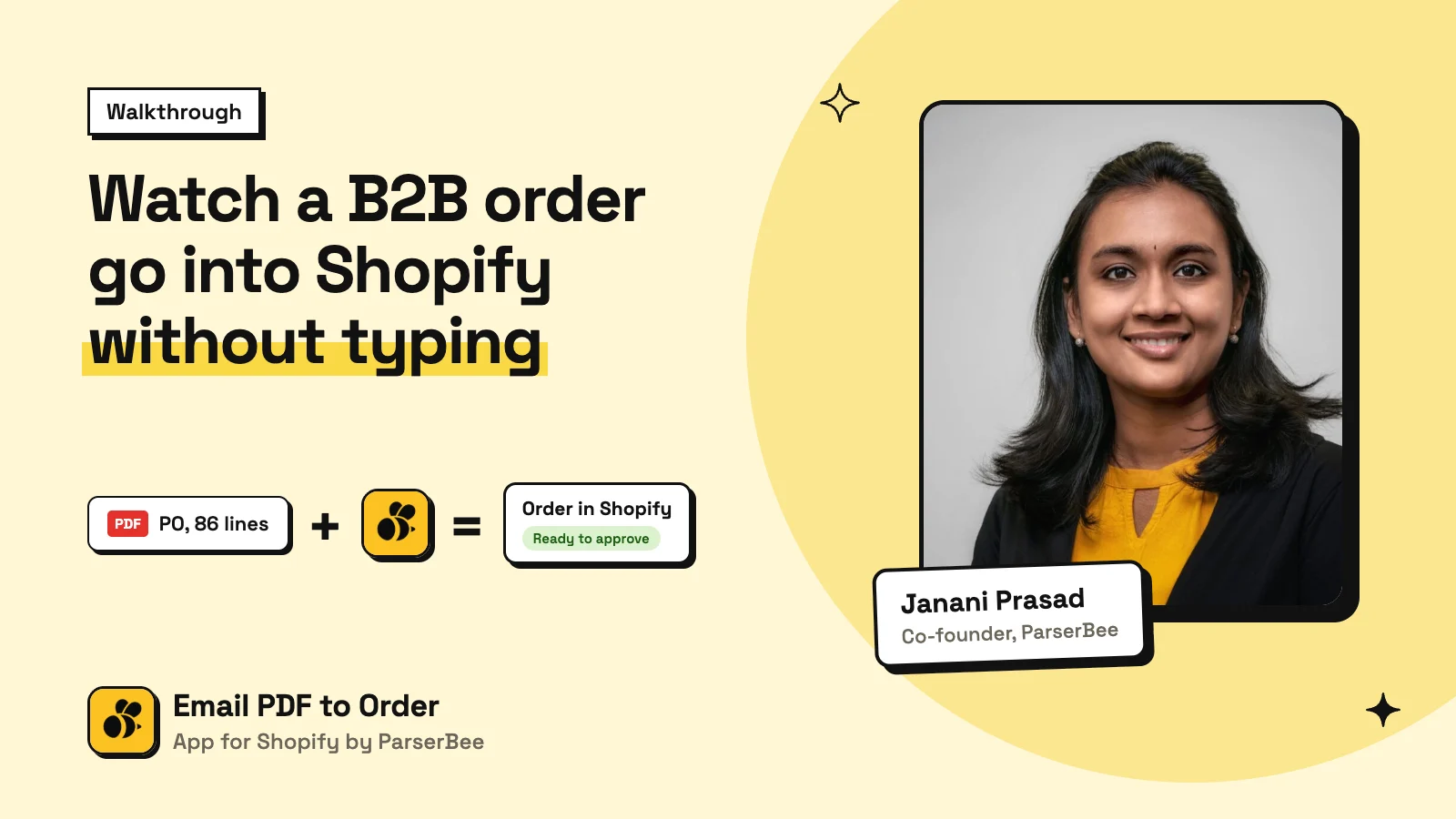
Three steps, and only the last one is yours.
Forward or upload
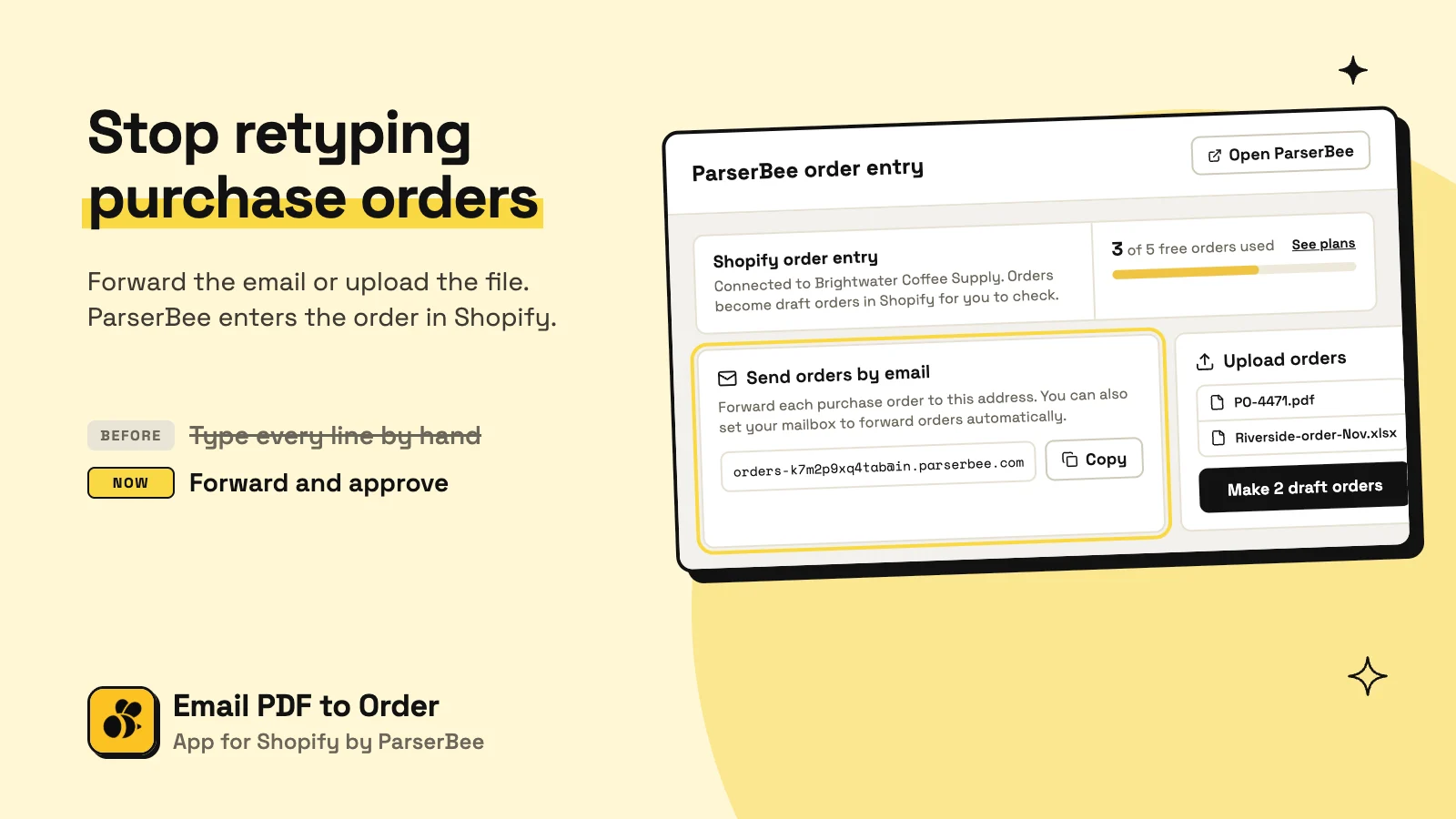
Forward the customer's email to your store's own ParserBee address, or drop up to 10 files into the app.
The app does the typing
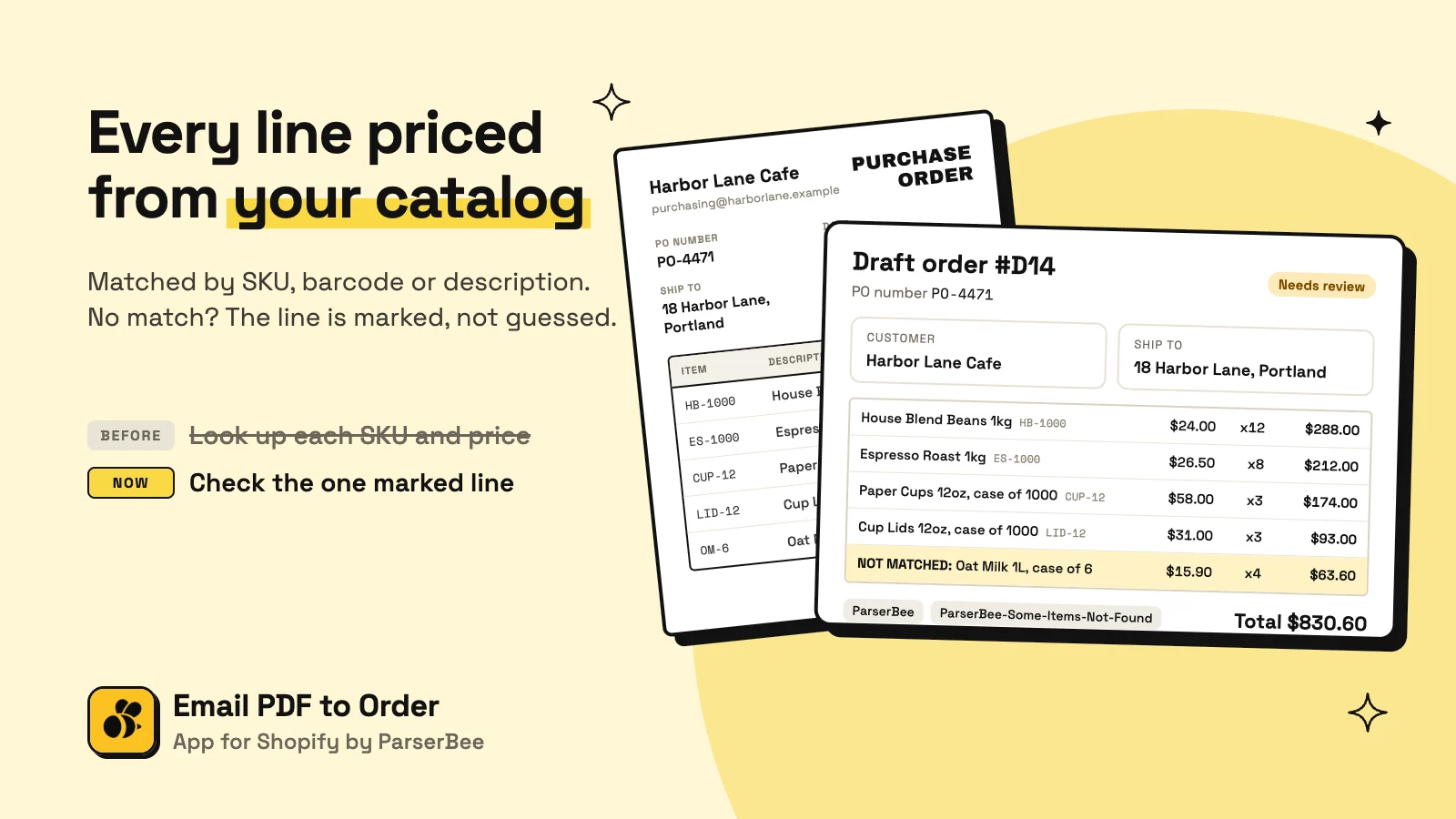
It reads the order, finds the customer, matches each line to your catalog and makes a draft order with your prices.
You approve and send
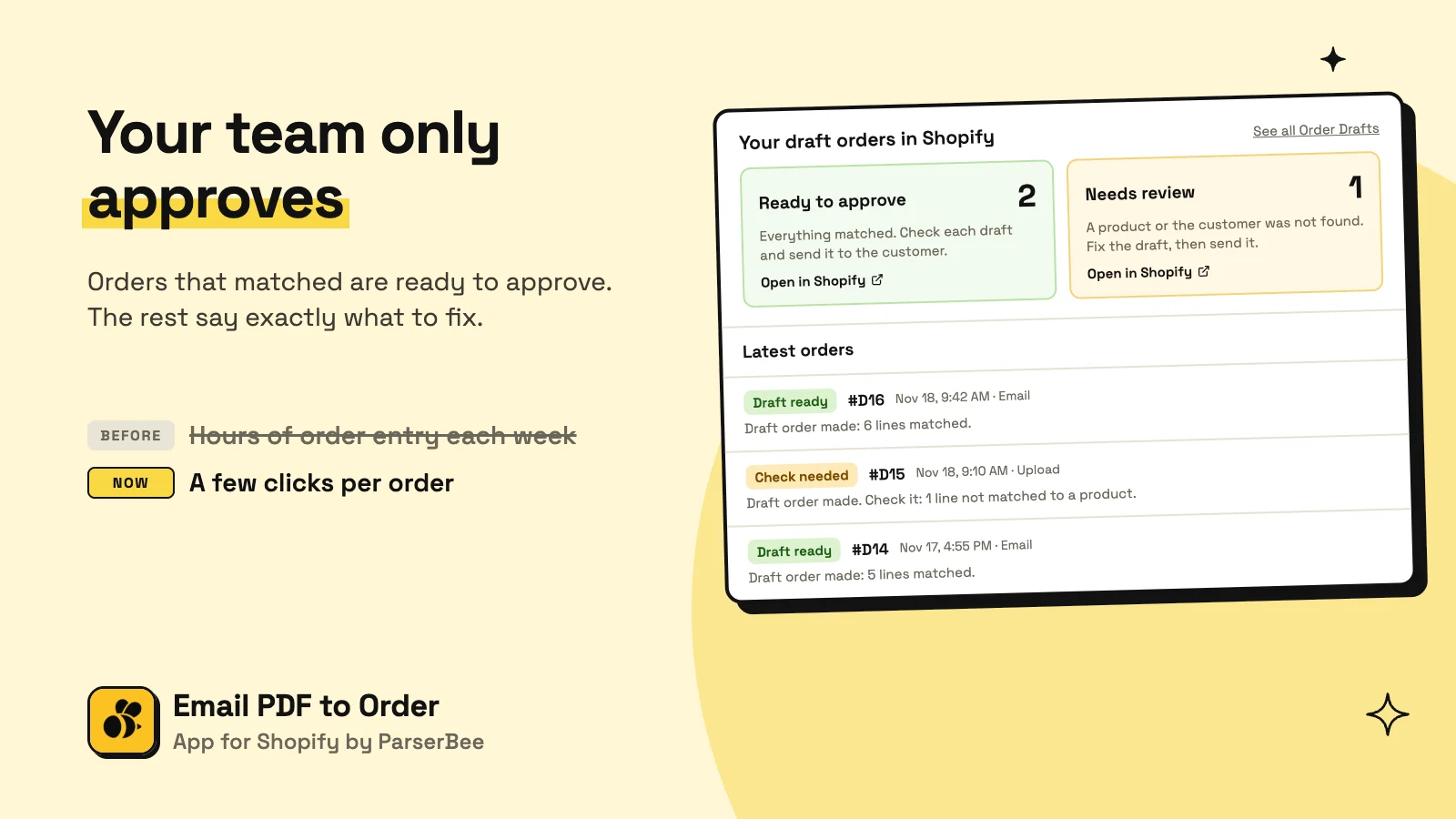
You get an email. Open the draft in Shopify, check anything marked, and send it the way you always do.
Your own address. Nothing to set up.
Install the app and your store gets its own forwarding address. Forward orders to it by hand, or set your mailbox to forward them for you. There are no templates to build and no fields to map.
- PDF, Excel, CSV, photos, scans and orders typed in the email
- Up to 10 files at a time, one order each
- See how many orders your plan has left
orders-k7m2p9xq4tbw@in.parserbee.comCopyA wrong product is worse than a line to check.
Each line is matched to one product variant in your store, in this order. When there is no clear answer, the app does not guess: the line stays on the draft, marked, so nothing is lost and nothing is wrong.
SKU
The code on the order belongs to exactly one product variant in your store.
JO-CN-LAV-8Lavender Soy Candle, 8 ozBarcode
No SKU match, but the barcode does. Same rule: exactly one variant.
0850012457Cedar Wood Wick Candle, 12 ozDescription
No code at all. The words match one product clearly better than any other.
Not matched
No clear winner, so nothing is guessed. The line stays on the draft for you to check.
Read the full rules in the documentation.
Orders wait for you, sorted by what they need.
The app makes draft orders, never real ones. Each one is tagged, so the app links you straight to the drafts that are ready to approve and the ones that need a closer look, with live counts.
- Your store's prices, not the ones on the PO
- PO number, ship-to address and delivery date on the draft
- An email for every new order
From the inbox to an order you can send.
Pay per order, not per page.
One draft order is one order, however long the purchase order is. A file that fails to read is free. Billed through Shopify.
Free
Starter
Scale
Business
Questions merchants ask
What does Email PDF to Order do?
It turns purchase orders from your B2B customers into draft orders in Shopify. You forward the email or upload the file. The app reads the order, finds the customer, matches each line to a product in your store and makes the draft. You check it and send it.
Is it on the Shopify App Store yet?
Not yet. It launches soon. To hear when it is live, write to support@parserbee.com.
Which file types can it read?
PDF, Excel (XLSX), CSV, photos and scans (JPG, PNG, WebP, HEIC), and orders typed in the body of an email. One file is one order.
Which prices go on the order?
Your store's prices. Prices printed on the purchase order are ignored. Only a NOT MATCHED line shows the price from the document.
Does the app send orders to my customers?
No. It only makes draft orders. Nothing goes to the customer until you send the draft in Shopify.
What counts as an order?
One draft order made in your store is one order, however many pages or lines the document has. A file that fails to read is not counted.