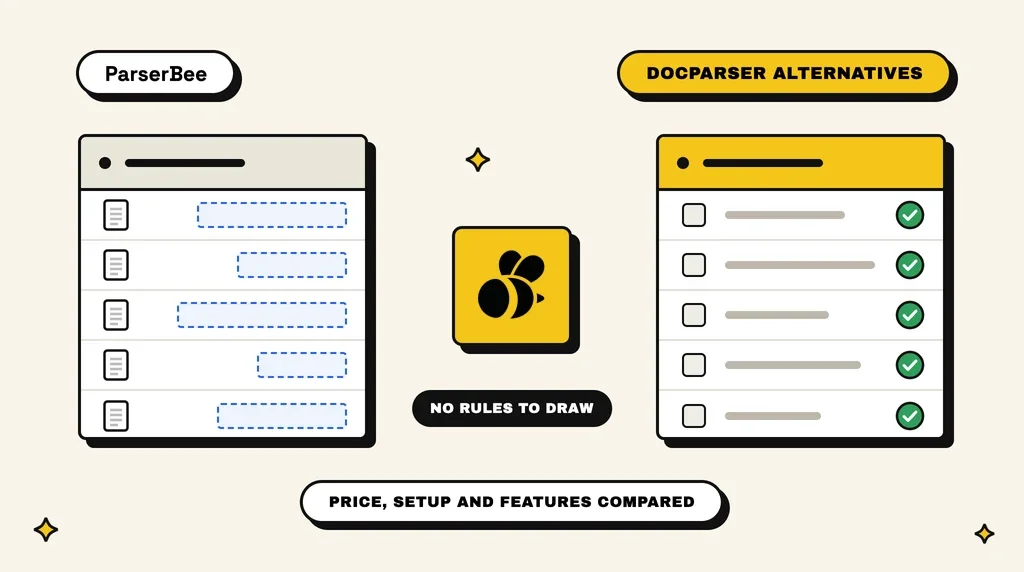
Docparser is one of the original document parsers. You upload a sample, draw zones around the data, set table columns and filters, and every document with that layout is parsed the same way. For a few layouts that never change, that is precise and reliable. The trouble starts when you have many suppliers, each with its own design, and every new layout means new rules.
When we asked ChatGPT and Gemini for Docparser alternatives, they built their answers almost entirely from competitors' own pages (Parseur, Parsio, Mammoth, Parsinto), several of which gave no prices or quoted Docparser's prices wrongly. This guide compares seven alternatives with every price checked on the vendor's own site on 10 November 2026, costs for four real workloads, and the cases where Docparser is still the better choice. We build ParserBee, so it is in the list, and we say where it is not the right fit.
In short: ParserBee is the best Docparser alternative when your documents come from many suppliers: one Parser Template reads every layout, with no rules to draw, from $29 a month for 250 pages. Parseur is best when documents arrive by email. Airparser and Parsio are low-cost AI parsers with inboxes. Lido suits spreadsheet users. Nanonets and Docsumo suit larger finance teams. Stay with Docparser for a few fixed layouts, barcodes, or long documents billed per document.
In this guide:
- Why people look for a Docparser alternative
- The best Docparser alternatives at a glance
- ParserBee: best for many supplier layouts
- Parseur: best for documents that arrive by email
- Airparser: low-cost AI parser
- Parsio: rules and AI in one account
- Lido: spreadsheet-first extraction
- Nanonets: workflows and approvals
- Docsumo: finance documents at scale
- What each tool costs for four workloads
- When Docparser is still the right choice
- How to choose
- Frequently asked questions
Why people look for a Docparser alternative
Docparser says it reads documents with "Zonal OCR technology, advanced pattern recognition, and the help of anchor keywords". You build a parser per document type, with rules for each field and table. Its newer SmartAI Parser template can create those rules from a sample, and you then check and edit them.
The reasons people switch come from Docparser's own pricing page and from public reviews:
- Rules per layout. Each new supplier design needs its own rules. A Capterra reviewer describes having to "adjust your table format slightly each time" when a vendor's columns resize.
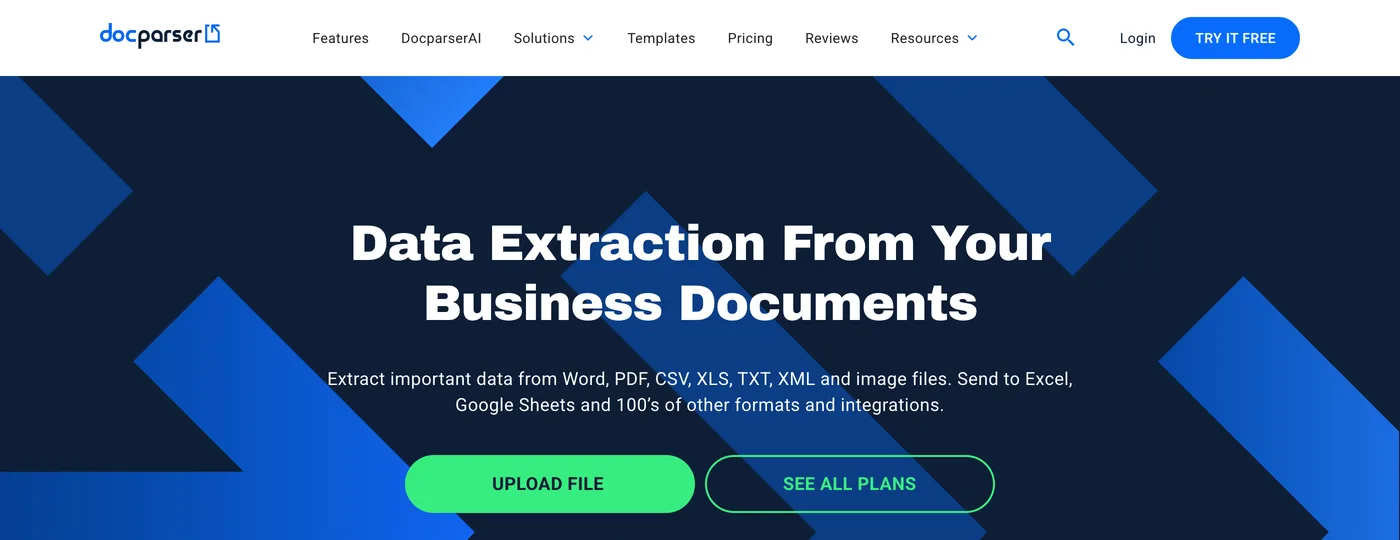
- Multi-layout parsers cost more. One parser that handles several layouts is included only on the Business plan ($159 a month) and costs $29.95 a month extra on Starter and Professional.
- Parser caps. Starter allows up to 15 parsers, Professional 50, Business 500.
- No free plan. There is a 14-day trial and no free tier after it.
- Set-up time. Docparser's own page says a first parser takes about 15 minutes; a table with variable rows can take longer.
The best Docparser alternatives at a glance
| Tool | How it reads documents | Entry paid plan | Free start | Billing unit |
|---|---|---|---|---|
| ParserBee | AI fields; one Parser Template for every layout | $29 a month, 250 pages | 25 pages, never expire | Page |
| Parseur | AI engine or template engine | $49 a month, 100 pages ($39 annual) | 20 pages a month | Page (an email is 1) |
| Airparser | AI fields | $33 a month billed annually, 100 credits | 20 credits | Page or email |
| Parsio | Template, AI or GPT engine | $29 a month, 100 credits | 30 credits a month | 1 to 3 credits a page |
| Lido | AI fields | $29 a month, 100 pages | 50 pages | Page |
| Nanonets | AI workflow blocks | $50 of free credits, then per run | $50 of credits | Block run |
| Docsumo | Pre-trained finance models | Quote only | 14-day trial, up to 1,000 pages | Page, quoted |
| Docparser (for reference) | Zones, rules and filters per layout | $39 a month, 100 documents ($32.50 annual) | 14-day trial | Document up to 5 pages |
All prices in US dollars, checked on each vendor's pricing page on 10 November 2026 and again on 18 November 2026. Prices change often, so check each vendor's own site for current prices before you buy.
1. ParserBee: best for many supplier layouts
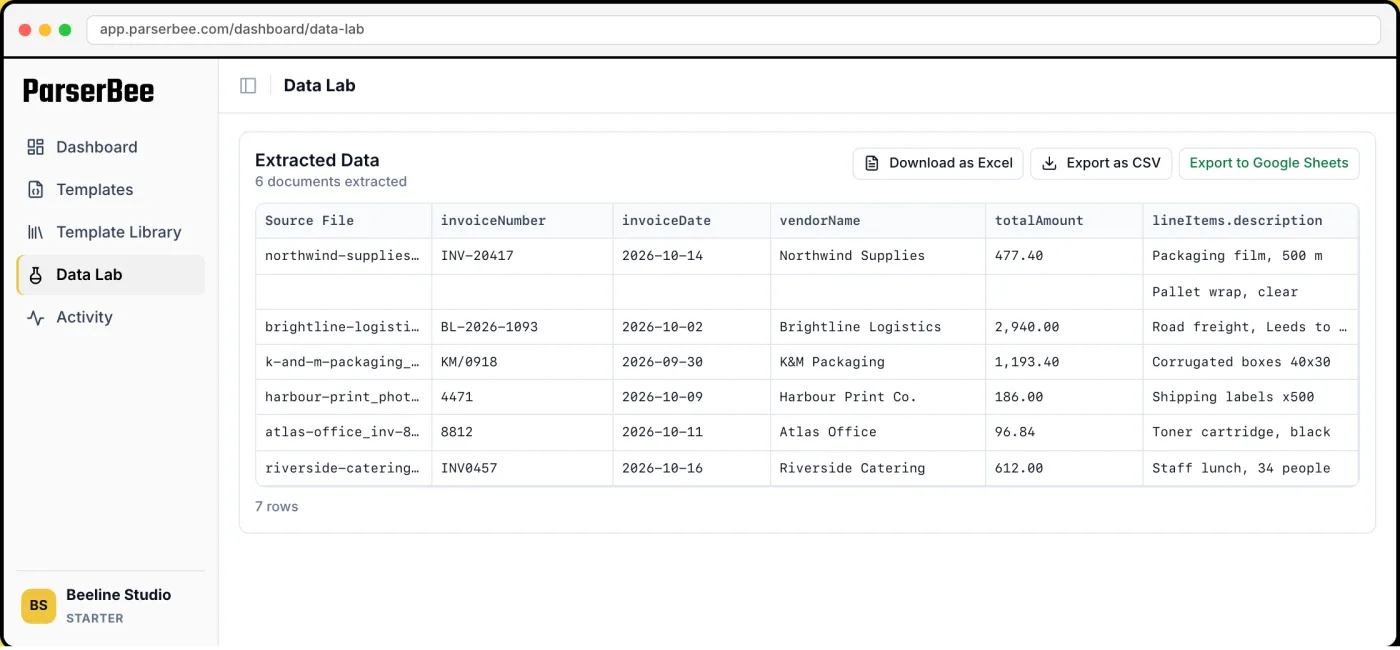
ParserBee reads business documents with AI fields instead of rules. You tell it which fields you want, and it finds them on every document by meaning, wherever the supplier put them. The set of fields is a Parser Template: pick one of more than 80 ready-made templates (invoice, purchase order, sales order, bank statement, bill of lading, receipt and more), or upload one sample and the AI template builder suggests the fields in about 20 seconds. You can add a field and describe it in plain English, such as "the carrier name on a freight invoice".
Why it beats Docparser for varied layouts:
- No rules to draw or maintain. A new supplier needs no new parser; the same template reads it.
- Every line in its own row. Line items and statement transactions come out one row each, even when the table moves or wraps.
- Batches. Data Lab takes up to 100 files at a time (PDF, scans, JPG, PNG, WebP and HEIC phone photos) and gives you one Excel, CSV, PDF or Google Sheets file.
- Linked destinations. Link a template to a Google Sheet or an Airtable table and every document lands there, with no automation tool.
- Your own layout. On Scale and above, a custom Excel layout arranges each document's fields the way your team needs.
- Automation and code. Zapier, Make and n8n, plus a REST API, Python and Node.js libraries and an MCP server (developers).
Where Docparser is still better: Docparser takes documents from email attachments and connects to Dropbox, Box, Google Drive and OneDrive; ParserBee does that through Zapier, Make or n8n. Docparser reads barcodes and QR codes, exports XML, and accepts DOCX and XLS (ParserBee does not). ParserBee reads PDFs up to 24 pages a file on paid plans and charges per page, so long documents cost more than on Docparser's per-document credits.
Pricing: free trial with 25 pages that never expire, no credit card; Starter $29 a month for 250 pages; Scale $99 for 1,500; Business $249 a month (or $2,499 a year) for 5,000. See the pricing page.
Skip the rules on your next invoice
The free invoice parser reads one invoice, every line item included, with no setup and no signup. Try it on the layout that broke your last parser.
Open the free invoice parser → Or try the bank statement converter
2. Parseur: best for documents that arrive by email
Parseur reads emails, PDFs, scans and images with an AI engine (you name the fields) or a template engine (you mark up a layout). Every account gets unlimited mailboxes that read the email body and attachments.
- Pricing: free plan with 20 pages a month. Micro $49 a month for 100 pages ($39 billed annually), Mini $89 for 300, Starter $129 for 1,000, Premium $269 for 3,000, Pro $499 for 10,000. One credit per page; an email counts as one page. Unused credits expire at the end of each period.
- Formats: a wide list including DOCX, XLS, TIFF and MSG, and long PDFs.
- Choose it if your documents arrive by email, or the data is in the email body.
- Skip it if you mostly upload PDFs at low volume: $0.49 a page on the monthly Micro plan is high.
3. Airparser: low-cost AI parser
Airparser extracts the fields you list from emails, PDFs and images, with OCR for scans and handwriting and an AI code assistant for post-processing.
- Pricing (billed annually): Starter $33 a month for 100 credits, Growth $49 for 500, Business $149 for 2,000, Premium $249 for 5,000. One credit is one PDF page, email or image. Free trial with 20 credits.
- Choose it if you want AI parsing with an email inbox and 500 credits a month for $49.
- Skip it if you want to pay month to month: these are annual prices, and Airparser says annual billing saves about 17%.
4. Parsio: rules and AI in one account
Parsio is the closest to Docparser for teams that want to keep some rules: it has a template parser for fixed documents next to AI and GPT parsers for varied ones.
- Pricing: free plan with 30 credits a month; 100 credits for $29 a month; 1,000 for $49; 5,000 for $149. The template parser uses 1 credit a page, the GPT parser 2 and the AI parser 3.
- Choose it if you have both fixed and varied documents and want one bill.
- Skip it if most documents need the AI parser: at 3 credits a page, 1,000 credits read only 333 pages.
5. Lido: spreadsheet-first extraction
Lido turns PDFs and other files into spreadsheet rows, with fields described in plain English.
- Pricing: Standard $29 a month for 100 pages and one user; Scale $7,000 a year for 42,000 pages and up to 10 users; Enterprise from $35,000 a year. 50 free pages.
- Choose it if you need up to 100 pages a month, or want an annual plan at high volume.
- Skip it if you need 200 to 3,000 pages a month: there is no plan between Standard and Scale.
6. Nanonets: workflows and approvals
Nanonets builds document workflows from blocks: extraction, classification, validation, approval and export.
- Pricing: $50 of free credits to start, then per block run: $0.02 for simple steps, $0.10 for standard AI steps, $0.30 for data extraction. Nanonets estimates a typical invoice workflow at under $2 an invoice.
- Choose it if you want approvals and ERP export in the same tool.
- Skip it if you only need data in a spreadsheet: extraction alone costs about $0.30 a run.
7. Docsumo: finance documents at scale
Docsumo offers pre-trained models for invoices, bank statements and other finance documents, with review, validation and pipelines on its Business plan.
- Pricing: quote only, based on pages a month or a year, plus a set-up fee. The free trial runs 14 days with up to 1,000 pages and 10 users.
- Choose it if you are a lender or finance team with high volume and want a dedicated account manager.
- Skip it if you want a self-serve price you can see before a sales call.
What each tool costs for four workloads
Docparser bills per document (up to 5 pages); most others bill per page. So the winner depends on how long your documents are. Each column is one monthly workload, and each price is the lowest plan that covers it. Monthly billing unless the row says annual.
| Tool | 100 one-page invoices | 250 two-page invoices (500 pages) | 1,000 one-page invoices | 200 five-page contracts (1,000 pages) |
|---|---|---|---|---|
| ParserBee | $29 | $99 | $99 | $99 |
| Docparser | $39 | $74 | $159 | $74 |
| Parseur | $49 | $129 | $129 | $129 |
| Parseur, annual | $39 | $99 | $99 | $99 |
| Airparser, annual | $33 | $49 | $149 | $149 |
| Parsio, template | $29 | $49 | $49 | $49 |
| Parsio, AI | $49 | $149 | $149 | $149 |
What the table shows:
- For one-page documents from many suppliers, ParserBee costs the least, or ties, among the tools that need no rules. Parsio's template engine is cheaper, but it is rule-based like Docparser.
- Docparser wins on long documents. Five-page contracts cost one credit each, so 200 of them fit the $74 Professional plan.
- Airparser is strong at 500 pages a month on annual billing ($49 for 500 credits).
Run your worst layouts for free
Start with 25 free pages that never expire, no credit card. Upload the documents that need the most rules today and download one spreadsheet.
When Docparser is still the right choice
Docparser does several things better than most AI tools:
- Exact, repeatable results on a fixed layout. A zone always reads the same spot, which auditors like.
- Barcodes, QR codes and checkboxes, and image pre-processing for crooked scans.
- Imports from email attachments and from Dropbox, Box, Google Drive and OneDrive, and export to XML as well as Excel, CSV and JSON.
- Long documents billed per document, up to 5 pages per credit.
- Help with set-up: one free parsing set-up on every plan, plus a paid Parsing Assistant that builds parsers for you.
If you have five layouts that have not changed in years, keep Docparser. If you add suppliers every month, an AI tool will save you the rule upkeep.
How to choose
Choose ParserBee if you get invoices, purchase orders or statements from many suppliers, want no rules to maintain, and want the data in Excel, Google Sheets or Airtable at up to a few thousand pages a month.
Choose Parseur if documents arrive by email. Choose Airparser if you want a low annual price at about 500 pages a month. Choose Parsio if you want rules and AI side by side. Choose Lido if you need 100 pages a month or an annual contract. Choose Nanonets or Docsumo if you need approvals and a sales-led rollout.
Test each shortlisted tool on the same three files: the layout that breaks your Docparser rules most, a crooked scan, and your longest document. For more options, see our guide to the best invoice automation software.
Try the Docparser alternative with no rules
One Parser Template reads every supplier's layout. Start with 25 free pages that never expire, and no credit card.
Frequently asked questions
What are good alternatives to Docparser?
ParserBee is the best Docparser alternative for invoices, purchase orders and statements from many suppliers: one Parser Template reads every layout, with no rules to draw, from $29 a month for 250 pages. Parseur suits documents that arrive by email, Airparser and Parsio are lower-cost AI parsers with email inboxes, Lido suits spreadsheet users, and Nanonets and Docsumo suit larger finance teams that want workflows and a sales-led set-up.
Is there a Docparser alternative that doesn't need parsing rules?
Yes. ParserBee, Parseur's AI engine, Airparser, Lido, Nanonets and Docsumo all read fields you name, without zones or rules per layout. On ParserBee you pick a ready-made Parser Template or upload one sample and the AI template builder suggests the fields in about 20 seconds; the same template then reads every supplier's layout.
What is an AI replacement for Docparser?
An AI document parser reads a document the way a person does: it finds the invoice number or the line items by meaning, not by position. ParserBee, Parseur, Airparser and Lido work this way at self-serve prices. Docparser itself now has a SmartAI Parser template that creates parsing rules from a sample, but the result is still a set of rules you maintain per layout.
What are cheaper tools like Docparser?
For one-page documents, ParserBee is $29 a month for 250 pages against Docparser's $39 for 100 documents, Airparser is $33 a month for 100 credits billed annually, Parsio's template engine is $29 a month for 100 credits, and Lido is $29 a month for 100 pages. Docparser stays cheaper for long documents, because one credit covers a document of up to 5 pages. Prices checked on 10 November 2026.
How much does Docparser cost?
Docparser Starter is $39 a month for 100 parsing credits and up to 15 parsers, Professional $74 for 250 credits and 50 parsers, and Business $159 for 1,000 credits and 500 parsers. Annual billing brings them to $32.50, $61.50 and $133 a month. One credit is one document of up to 5 pages. Enterprise is quoted. There is a 14-day free trial with no credit card. Checked on docparser.com/pricing on 10 November 2026.
Why do people switch from Docparser?
Most switch because of rule upkeep: every new supplier layout needs its own rules, and reviewers on Capterra and Software Advice describe adjusting table settings when a vendor's columns shift. Others switch for the price of multi-layout parsers, which are included only on the $159 Business plan or cost $29.95 a month extra, or because they want results in Google Sheets or Airtable without an automation step.
Should I stay with Docparser?
Stay if you process a few layouts that never change, need exact zonal results, barcode or QR reading, XML export, or Word and XLS files, or mostly handle long documents where one credit covers 5 pages. Those are real strengths.