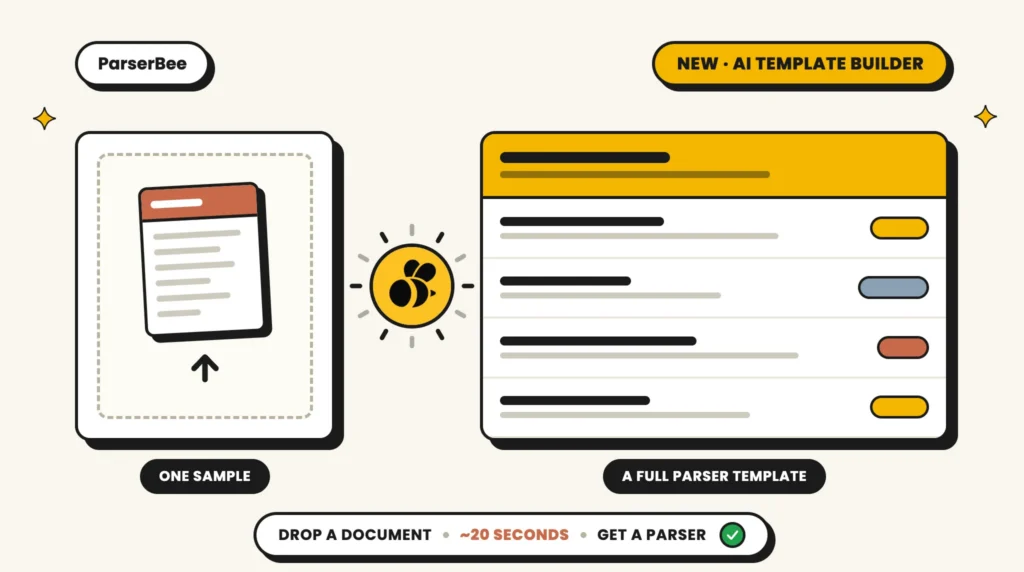
As part of the latest release of ParserBee, we are introducing the fastest way yet to go from “here is my document” to “here is my data”: the AI Template Builder. It turns AI document data extraction into a single upload. Give it one sample of the document you want to parse, and our AI document parser reads it, works out what data matters, and builds the whole Parser Template for you: fields, names, descriptions, everything. It usually takes about 20 seconds.
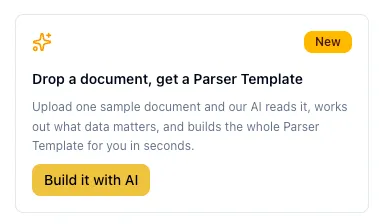
Until now, setting up a new document type in ParserBee meant one of two things: picking a ready-made Parser Template from the Template Library and tweaking it, or building one field by field yourself. Both work well, but both assume you can describe your document in fields before you start. The AI Template Builder flips that around: show us the document, and the fields come to you. If you have ever wanted to extract data from documents with AI without mapping a single field first, this is it. You will find it front and center when you click Create Template in the dashboard.
How AI Document Data Extraction Works in Three Steps
The whole flow is three steps, and you never leave the wizard:
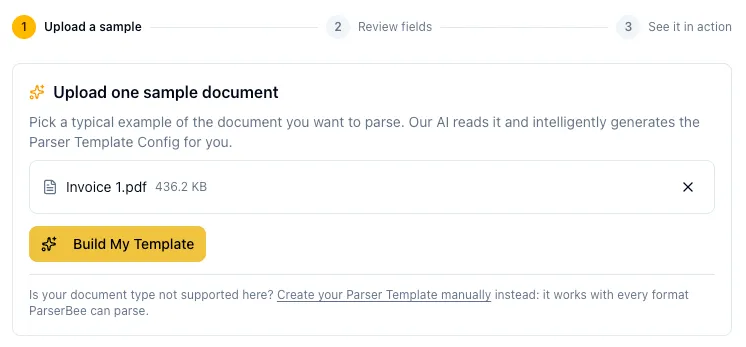
- Upload one sample document. Pick a typical example of the document you want to parse: a supplier invoice, a bank statement, a delivery note, a lab report, anything. PDFs and photos or scans (PNG, JPG, WebP) up to 15 MB work here; for other formats, the manual builder is one click away and takes every file type ParserBee supports.
- Review the fields. In about 20 seconds, our AI hands back a complete Parser Template: a sensible name, a one-line description, and a full set of fields in the order they appear on your document. Every field comes with a plain-English extraction instruction (“The invoice date in DD/MM/YYYY format”, “The total amount due including tax, as a number only”), which is exactly what makes extraction accurate. Do not need a field? Remove it with one click. Want to rename or add fields? The full editor is one click away.
- See it in action. The wizard then runs your new Parser Template against the same document you uploaded, for real, and shows the results in a spreadsheet-style table. You can export that first result to CSV or PDF on the spot, and if you like what you see, a single click takes you into Data Lab to run a whole batch.
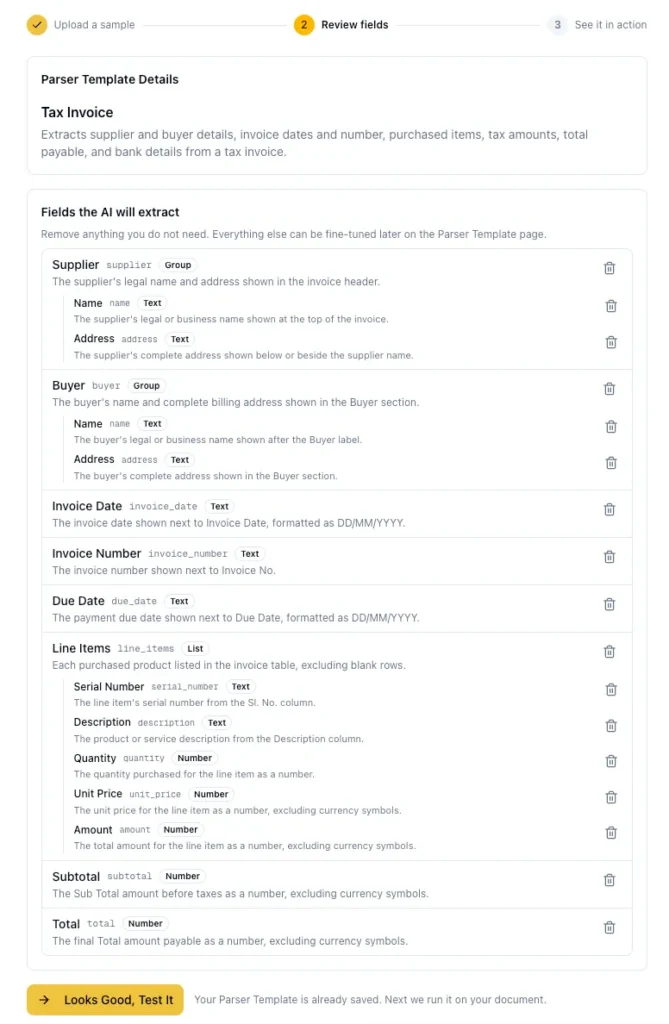
That is it. AI document data extraction with no field-by-field setup, no guessing what to call things, no wondering whether “Text” or “Number” is right for a phone number (our AI knows it is text; the digits are not for math).
What Our AI Document Parser Actually Gets Right
We did not want a gimmick that spits out five generic fields. The AI Template Builder is opinionated about the details that make AI document data extraction work in the real world:
- It reads your document like a person would. Repeating rows (invoice line items, transactions, order lines) become a proper List with one column per value. Related details (a supplier’s name, address, and phone) get grouped together. One-off facts stay simple fields.
- It writes instructions, not just labels. Each field carries a precise description of what to take and what to ignore, down to details like “give the number only, without currency symbols” or “take the count of events, not a rate”. These instructions steer every future extraction with that Parser Template.
- It handles messy reality. Scanned documents, photographed paperwork, and documents in other languages all work; field names come out clean and consistent in English either way.
- It knows when to say no. Upload something that is not really a parseable document (a holiday photo, say) and it will tell you why instead of inventing fields that would never extract anything.
And because a first pass is rarely perfect, everything is editable. The review step is a real checkpoint, not a formality: your Parser Template is yours to trim, rename, and refine before you run it at volume.
Your First Test Run Is Built In
The part we like most: you do not have to take the AI’s word for it. Step three runs a genuine AI document data extraction on your sample document, the same engine, the same billing (one page credit per page), the same output you would get from a batch. You see actual values from your actual document in a table before you commit to anything.
From there you have three buttons and they cover every case: Bulk Extract using Data Lab if the result looks right, Edit Parser Template if a field needs adjusting, and our support email if something looks off and you want a human to take a look.
Use Cases for AI Document Data Extraction
The Document Type Nobody Built a Template For
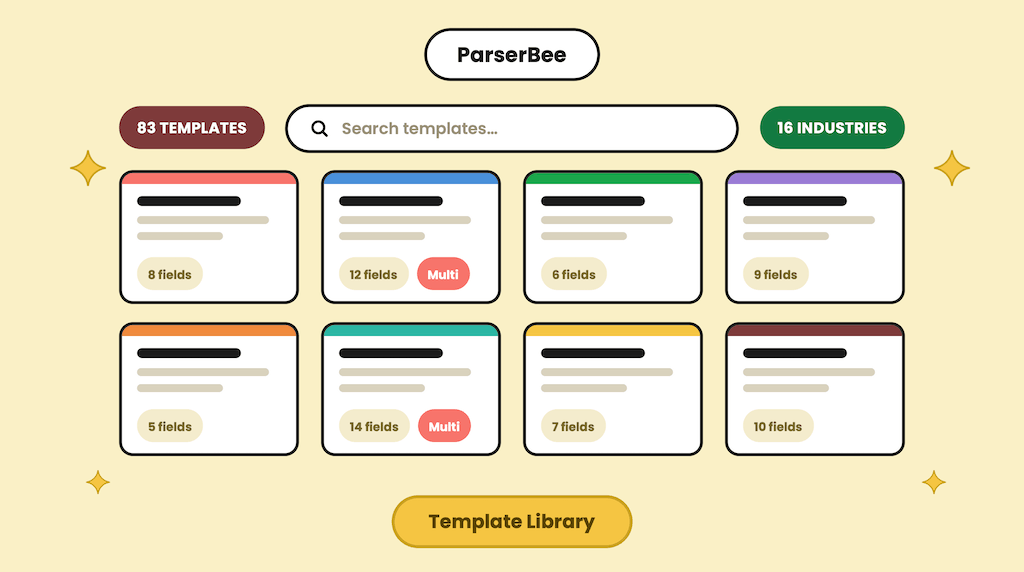
The Template Library covers 83 common document types, but every business has its oddballs: the carrier’s custom delivery manifest, the industry-specific inspection form, the legacy report format only your team uses. Those used to mean manual setup. Now they are one upload away.
Getting Started Without Getting Trained
If you are evaluating ParserBee, the AI Template Builder is the two-minute pitch for AI document data extraction: sign up, upload the document that is bothering you, watch your data come out the other side. There is no better way to find out whether ParserBee fits your paperwork.
Standardizing Client Intake, Faster
Agencies and brokers dealing with dozens of institutions (every bank formats statements differently, every insurer has its own forms) can use AI document data extraction to build a Parser Template per source in minutes instead of an afternoon, then hand the batches to Data Lab.
Upgrading a Library Template to Match Your Paperwork
Sometimes the ready-made invoice Parser Template is close, but your suppliers’ invoices carry extra fields (site references, eco-contributions, discount chains). Feeding a real invoice to the AI gets you a Parser Template shaped like your documents, not the average of everyone’s.
The AI Template Builder is live now for every plan, including the free trial. Upload one document, get a working AI document parser, run your first batch: the free trial’s 25 page credits are more than enough to see the whole AI document data extraction loop end to end.
Have a document type you are curious about? Give AI document data extraction a try, and if the result is not what you hoped, email our support team; we read every message and we are genuinely curious about the weird ones.
Table of Contents
Breaking Down Data Lab: Bulk Document Extraction, No Code Required
News, Product Updates